
In this field note
Identify what your backup actually is
Before investigating an interruption, read the pool entries already configured in the miner. Write down the operator, endpoint and worker attached to each slot. Some backups are another port at the same operator. Others use an entirely different operator and account. The evidence you can see afterwards depends on that distinction.
In the Braiins Bitcoin setup instructions, the primary, secondary and backup entries can all point to Braiins. Three configured slots can therefore lead to one account history. Use the instructions for the protocol your firmware supports. Keep the original settings so you can identify the route the miner normally uses.
Reconstruct a switch from three records
| Example time, UTC | Record | What it establishes |
|---|---|---|
| 10:00 | Primary records an accepted share | Work reached the primary then |
| 10:02 | Miner log shows a connection to the backup | The miner reached that endpoint |
| 10:04 | Backup credits the intended worker with a new share | The backup accepted work by this time |
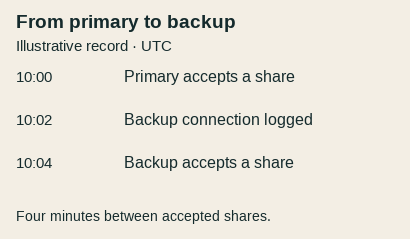
There are four minutes between the two accepted shares. That interval includes normal waiting time for shares. It cannot tell you exactly how many seconds the device stopped hashing. If the dashboards round times or display different zones, save the original timestamps and convert both to the same zone before drawing a conclusion.
If the connection succeeds but the worker stays empty
Check the account and worker string on the active slot. Then check whether the destination reports accepted or rejected work, and whether its display has refreshed. Give each machine its own worker name. When two endpoints feed the same dashboard under that name, a fresh share in the dashboard alone cannot identify the active endpoint. Look for an accepted response tied to the active backup connection in the miner log or an endpoint-specific operator record. If neither is available, record the route as unconfirmed. Use the operator’s connection FAQ to interpret its settings.
For a later return to the primary, repeat the same evidence check in reverse. Keep the destination, the first accepted work and the observed time. Leave old balances on your reconciliation list until each account’s own records show what happened. The pool payment guide explains why a routing change and a payout are separate events.
Frequently asked questions
Does switching ports mean I switched pool operators?
Several endpoints can belong to one operator. Check the hostname, account and worker as well as the port.
Will my old pool balance move to the backup?
A connection switch changes where future work goes. Check the existing balance and payout terms at the original pool.
How long was my miner offline between two accepted shares?
The gap bounds the interval you are investigating. Device logs or another independent observation are needed to establish the actual outage.
Put it to work
Mining calculatorSources are listed above. This guide explains the mechanics; it is educational information, not a recommendation to invest or buy mining equipment.